Automated Server Configuration
When the Platform Installer is run during an install or upgrade, it automatically configures your server to ensure correct operation of ENPS. This reduces the amount of manual preparation required.
For reference, this page lists those automated configurations.
Anti-Virus
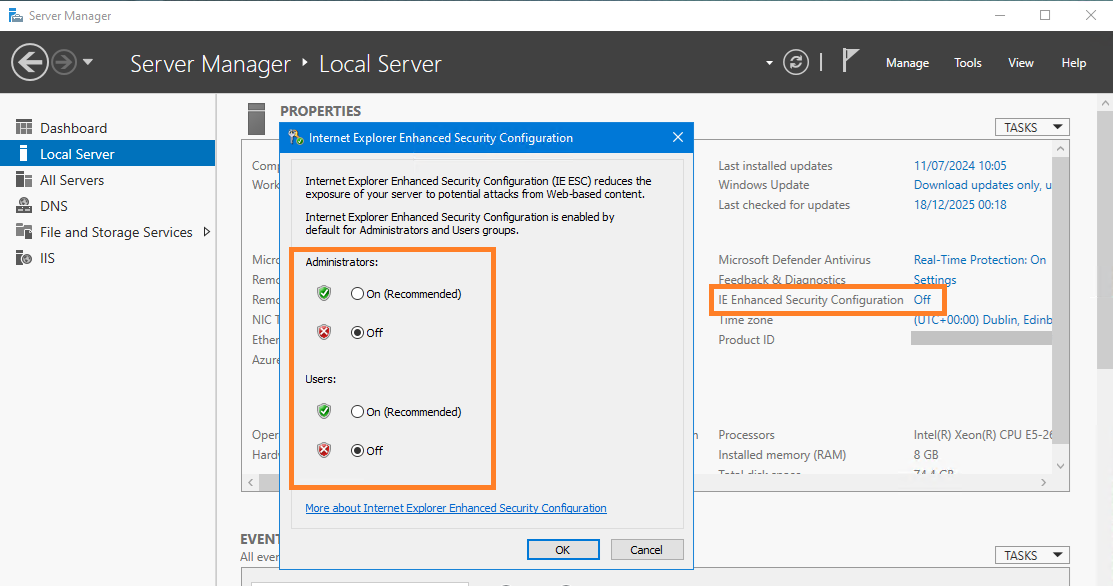
IE Enhanced Security Configuration (all Users and Admins)
Server Manger > Local Server > Properties pane > IE Enhanced Security Configuration is set to Off for Administrators and Users.
User Account Control Settings
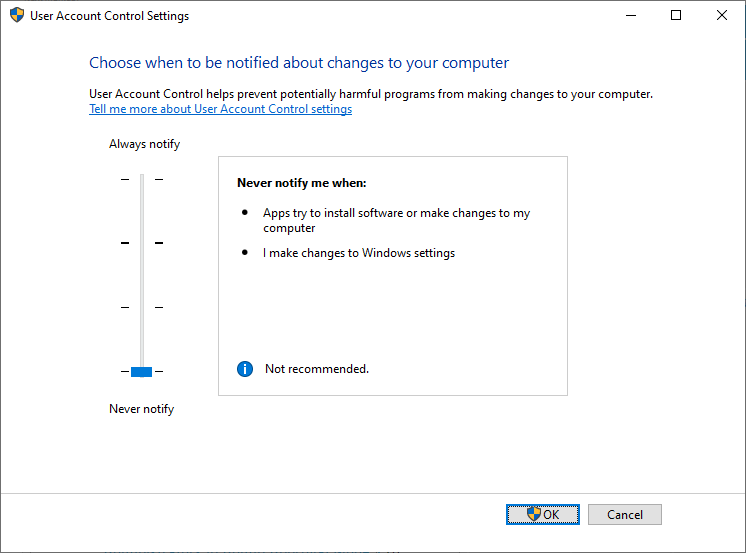
For reference purposes, the Platform Installer sets the User Account Control (UAC) as follows.
This is applied after the first restart after running the Platform Installer.
Notifications
Control Panel > System and Security > Change User Account Control Settings is set to Never Notify.
Admin Approval Mode
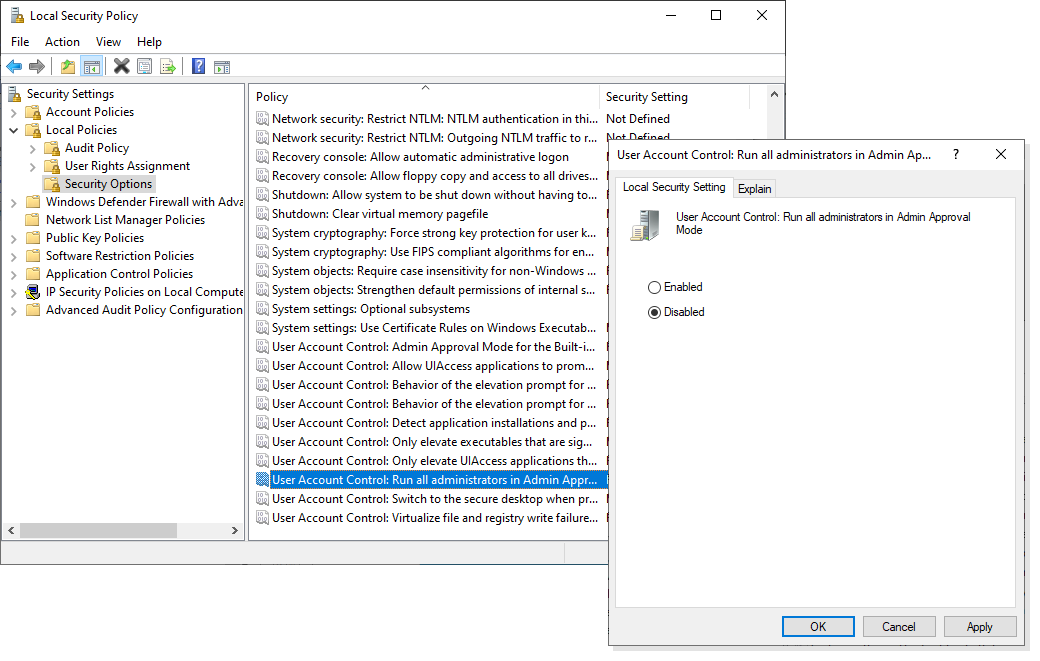
Control Panel > System and Security > Administrative Tools > Local Security Policy > Security Settings > Local Policies > Security Options > User Account Control: Run All Administrators in Admin Approval Mode is set to Disabled.
Server Roles and Features
For reference purposes, the following table details the roles and features that the Platform Installer sets up.
To see the currently set roles and features on a server, open Windows Server Manager > Manage > Add Roles and Features and step through the wizard.
|
Server Roles |
|
|
Features |
|
|
Roles Services |
|
