Session Timeout
Session timeout controls the number of minutes of inactivity before a user's session is terminated on the server. It is only necessary to set this on the Web Service Host.
To modify this setting:
-
Open Internet Information Services (IIS) Manager.
-
Double-click on the server where you installed the certificate in the left pane of the Internet Information Services (IIS) Manager window.
-
Click + to expand to Sites > Default Web Site and select
NOMWebServices3JSON.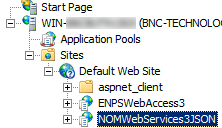
-
Double-click Session State in the Features View on the right.
-
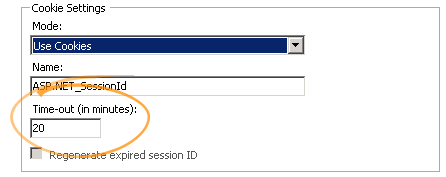
Set Cookie Settings > Time-out (in minutes) to the desired number of minutes for the session timeout.
-
Click OK.
